How to Organize Gemini Exports with Folders and File Names
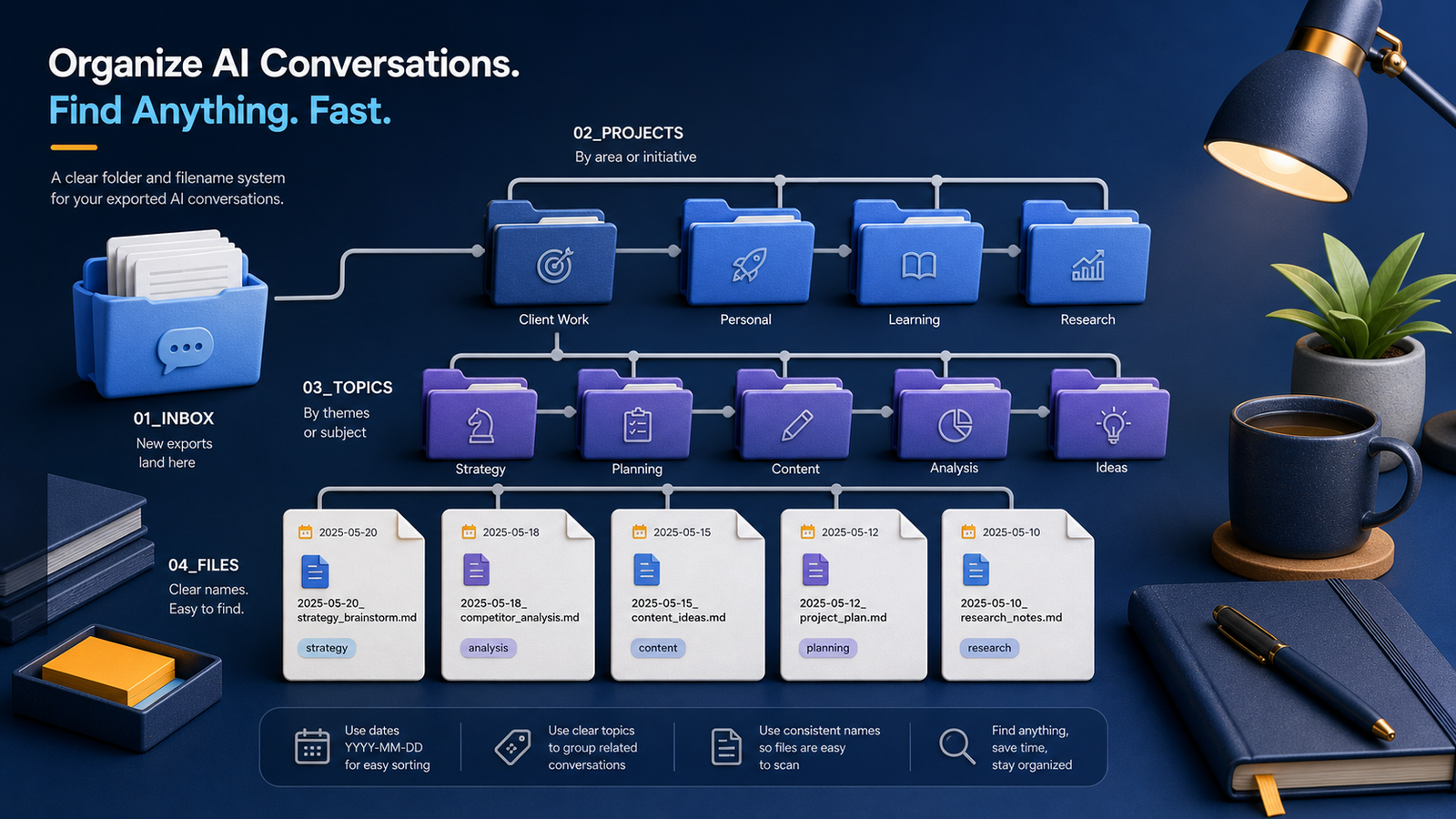
A shallow project hierarchy plus predictable filenames beats a perfect taxonomy you never maintain.
The easiest way to organize Gemini exports is to use a temporary inbox, a shallow project hierarchy, and filenames that sort predictably. The goal is not to design a perfect taxonomy. It is to recognize a file months later and find it without remembering where you placed it.
Start with one export inbox
Send every new export to one folder:
Gemini-Archive/
└── 00-Inbox/
An inbox prevents downloads from scattering across the desktop. It also separates capturing from organizing. You can export immediately, then add context during a weekly review.
Do not let the inbox become the archive. Process each item by renaming it, adding a short summary when appropriate, and moving it to a stable destination.
If you use Google’s archive tool, read the official Google data download instructions before the first batch. Save the downloaded package in the inbox, inspect its contents, and work from a copy. Keep the untouched package until you confirm that your organized files include the text and assets you need. For a broader framing of durable digital records, the Library of Congress personal digital archiving guidance is a helpful complement to product-specific steps.
Organize primarily by project
Projects usually provide more useful context than broad subjects. A conversation about analytics may belong to a website redesign, a customer report, or a course. Project folders keep related decisions, attachments, and follow-up work together.
Gemini-Archive/
├── 00-Inbox/
├── Projects/
│   ├── Gemini-Exporter/
│   ├── Website-Redesign/
│   └── Certification-Research/
├── Topics/
│   ├── Writing/
│   └── Automation/
└── Archive/
Use Topics for reusable reference conversations that genuinely span projects. Move completed project folders into Archive instead of rebuilding the hierarchy each year.
Keep the tree shallow. If retrieving a file requires navigating six levels, search will probably be faster than browsing.
Write a short README for the archive
Put a README.md at the archive root. State the naming pattern, folder rules, approved tags, sensitivity labels, and the date of the last restore test. This note prevents guesswork when you return after a long break.
For a shared archive, add the owner and review schedule. Explain what belongs in the inbox and who may move or remove files. Keep the rules short enough that people will read them.
Use a filename that carries context
A durable pattern is:
YYYY-MM-DD_project_topic_description.ext
Examples:
2026-07-23_gemini-exporter_formats-comparison.md
2026-07-24_website-redesign_homepage-outline.json
2026-07-25_certification-research_exam-plan.pdf
The ISO-style date sorts chronologically. The project and topic make search more precise. The final description distinguishes conversations inside the same workstream.
Use lowercase letters and one separator style. Avoid unsafe filename characters such as slashes, colons, and question marks. Keep names concise enough to scan.
Distinguish source, working, and final copies
If you preserve multiple forms, signal their role:
2026-07-23_gemini-exporter_formats_source.json
2026-07-23_gemini-exporter_formats_working.md
2026-07-23_gemini-exporter_formats_reference.pdf
Do not use final-final-v2. Dates, explicit roles, and version control communicate history more reliably. When a major follow-up conversation replaces earlier conclusions, create a new dated record and link back to the prior one.
Add lightweight metadata inside editable files
Filenames cannot hold every useful detail. Add a small metadata header to Markdown or text-based exports:
title: Export format comparison
date: 2026-07-23
project: Gemini Exporter
topics: [export, archive, formats]
status: reference
sensitivity: internal
related: [2026-07-20_export-requirements.md]
Choose a small controlled vocabulary for status and sensitivity. A few stable labels outperform dozens of nearly identical tags.
Connect attachments without creating confusion
For conversations with images or files, use a matching companion folder:
2026-07-23_gemini-exporter_formats.md
2026-07-23_gemini-exporter_formats-assets/
├── comparison-table.png
└── sample-export.json
Relative links allow the conversation and its assets to move together. Use the attachment preservation guide to record sources and avoid broken remote references.
Make organization a short routine
Once a week:
- Open
00-Inbox. - Delete exports with no lasting value.
- Rename retained files.
- Add a summary, project, and sensitivity label.
- Move each file and its assets together.
- Confirm important files are included in backup.
If this routine takes too long, simplify the hierarchy. The system should reduce retrieval effort, not create another administrative project.
Handle duplicates without losing history
Compare files by content, not by name alone. Two exports can have different names but hold the same chat. The same filename can also hide two revisions.
When you find a duplicate, keep the clearest complete source and record why you removed the extra copy. If the files contain different follow-up messages, retain both with dates or revision labels. Do not merge them until you can preserve message order and source context.
Frequently asked questions
Should folders use projects, topics, or dates?
Use projects as the primary structure when possible, topics for cross-project reference, and dates in filenames. A year folder can help very large archives, but it often adds unnecessary depth to small ones.
How many tags should a conversation have?
Two to five specific tags are usually enough. Prefer stable concepts you will search for again. Avoid repeating every word already present in the title.
Should I rename original export files?
If authenticity matters, preserve the unchanged original inside a source folder and rename a working copy. Otherwise, a descriptive filename is usually more useful than an exporter-generated identifier.
Add search and protection
Folders provide context, but full-text search finds details across projects. Next, build a searchable Gemini archive and back up private conversations safely. For the entire sequence, return to the complete Gemini export organization system.