Resources
-

Chrome Extension Workflow for Clean Gemini Exports
Install and use a Gemini export Chrome extension workflow that captures conversations, media, and clean local folders without losing context.
-

How to Preserve Images, Files, and Links in a Gemini Export
Preserve Gemini export images, attachments, links, citations, and source context with local copies, stable paths, metadata, and verification.
-
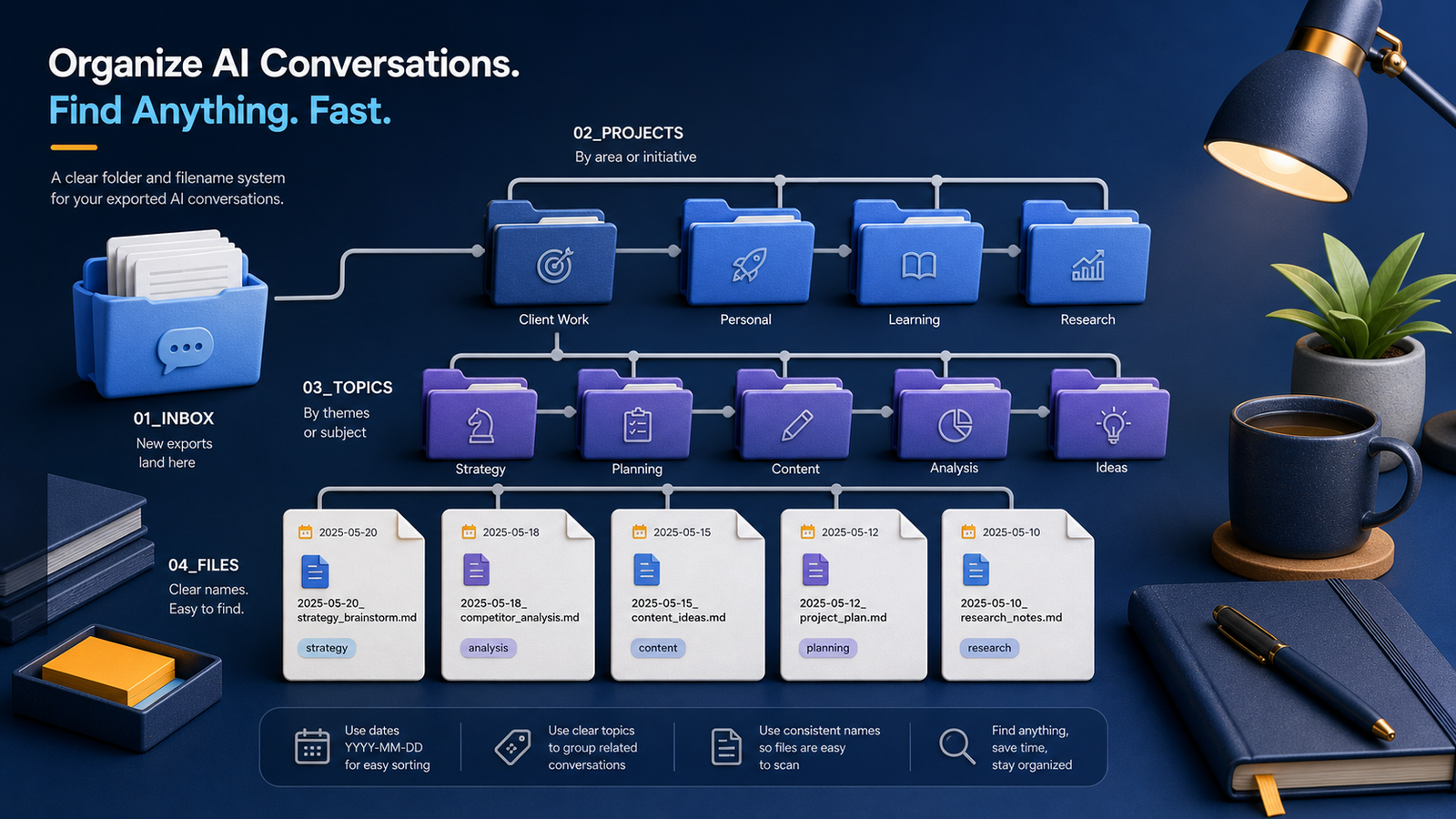
How to Organize Gemini Exports with Folders and File Names
Organize Gemini exports with a practical folder hierarchy, date-based filenames, project labels, and a simple inbox that keeps every chat easy to find.
-

How to Build a Searchable Gemini Conversation Archive
Build a searchable Gemini conversation archive with text-first exports, consistent metadata, full-text indexing, and reliable retrieval checks.
-
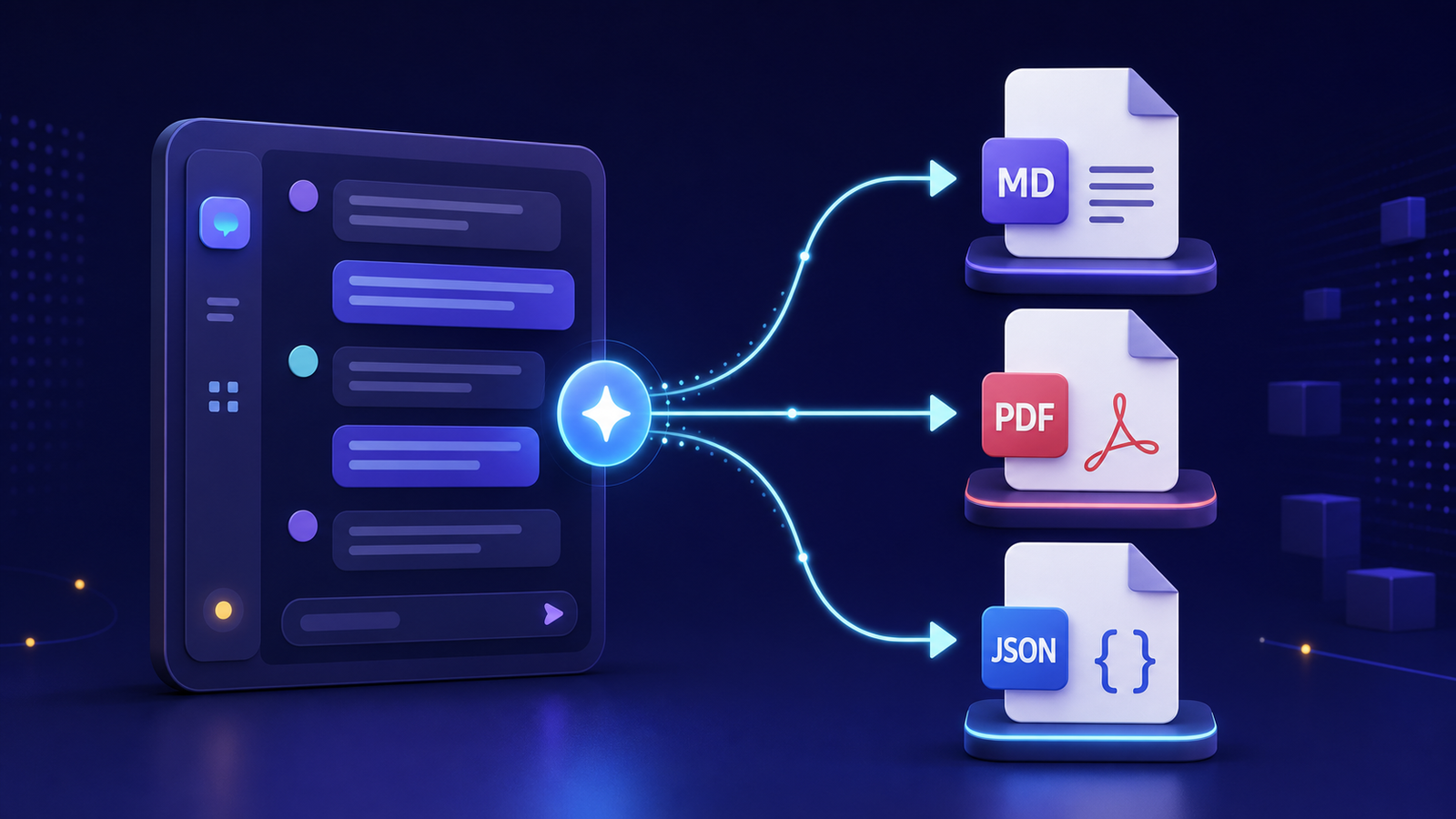
Best Format to Export Gemini Conversations
Find the best format to export Gemini conversations by comparing Markdown, PDF, and JSON for reading, search, automation, and long-term access.
-
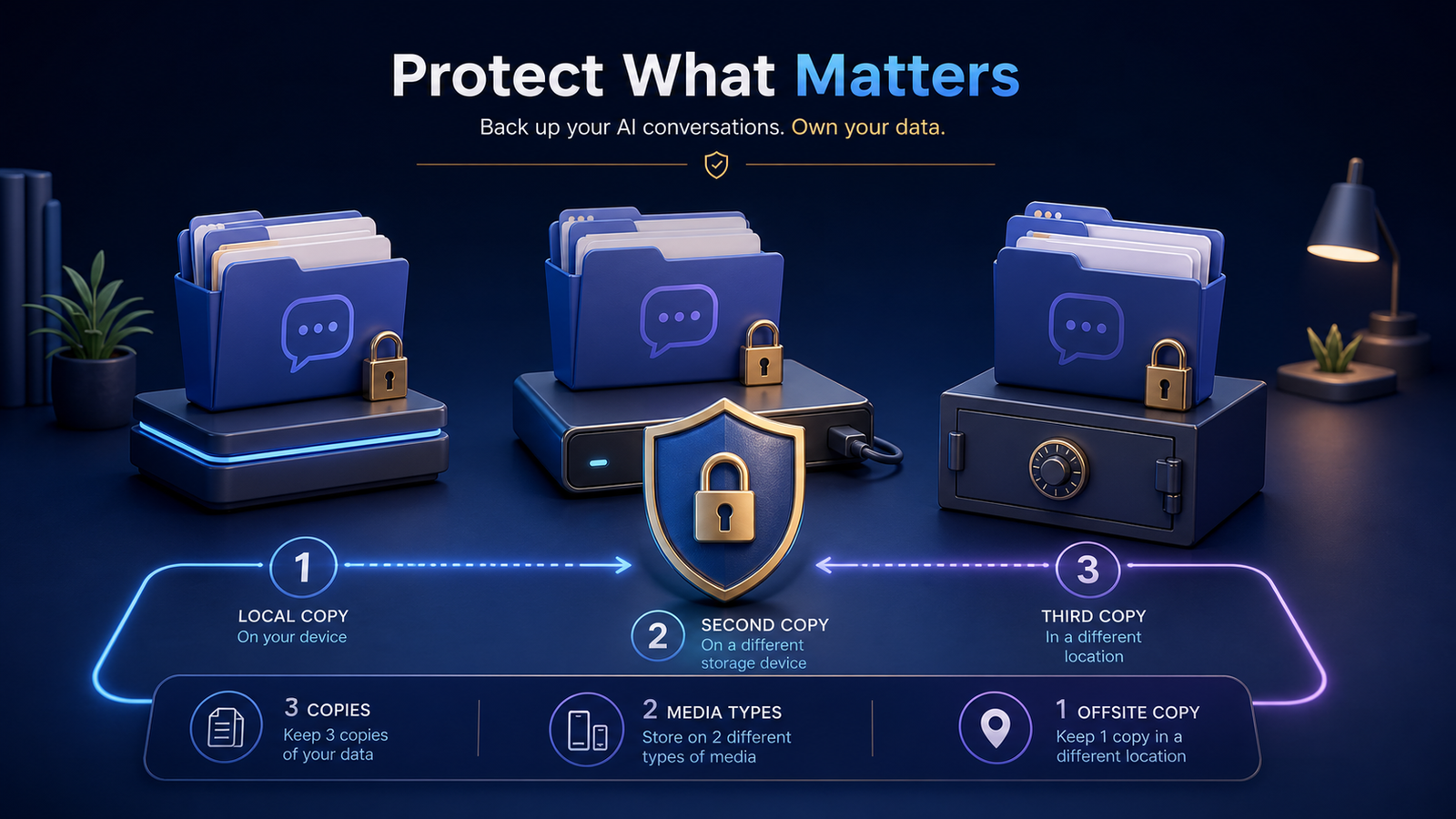
How to Back Up Gemini Conversations Without Losing Privacy
Back up Gemini conversations with multiple encrypted copies, sensitivity-based storage, access controls, and routine restore testing.
-
Local-First Exports Are Easier to Trust
Local-first Gemini exports are easier to trust because files stay on your machine, remain inspectable, and become a durable library you control.
-
Building a Professional Folder Tree for AI Content Packs
Use a practical folder tree for AI-generated content packs so conversations, media, assets, and metadata stay publish-ready and easy to retrieve.
-
Why Gemini Exports Need to Handle Media, Not Just Text
Gemini exports need media handling—not just text—so images, code, Canvas files, and downloads remain usable after the chat ends.
-
Mastering Gemini Media Exports: A Local-First Guide
Master local-first Gemini media exports so transcripts, images, code, and Canvas files stay portable, searchable, and under your control.